AboutWork ExperienceContact
Case Study — B2B UX/UI · Desktop App Redesign 2022–2023 · LuminateOne

Automote: Built for dealers.

My Role

UX/UI Redesign (Figma)

Client

LuminateOne · Automotive

Users

Car Dealership Staff

Output

Interactive Figma Prototype

Problem

Years of fixes layered on fixes. Six core usability failures compounding across hundreds of daily interactions.

Solution

Two-panel configuration. Collapsible filtering. Inline status editing. Unified component system.

Impact

Order status updates 5 steps → 2. Approved as development basis without revision rounds.

01

A tool used daily that made work harder.

During my internship at LuminateOne, Automote became my core project. It's a stock and inventory platform used daily by dealership staff to track orders, manage vehicle builds, and monitor inventory.

The existing interface had accumulated years of fixes. My job: redesign the core workflows in Figma, producing a fully interactive prototype for development.

Dealership staff work under time pressure with real financial transactions. Confusion means mistakes with money and customer relationships.
6Usability failures
5→2Steps to update
B2BDaily workflow
1Prototype
5 → 2

Steps to update an order status after redesign

Reported by LuminateOne stakeholders · Validated in walkthroughs

02

Where the interface failed.

Based on stakeholder feedback and internal LuminateOne audit notes, failures clustered across three themes.

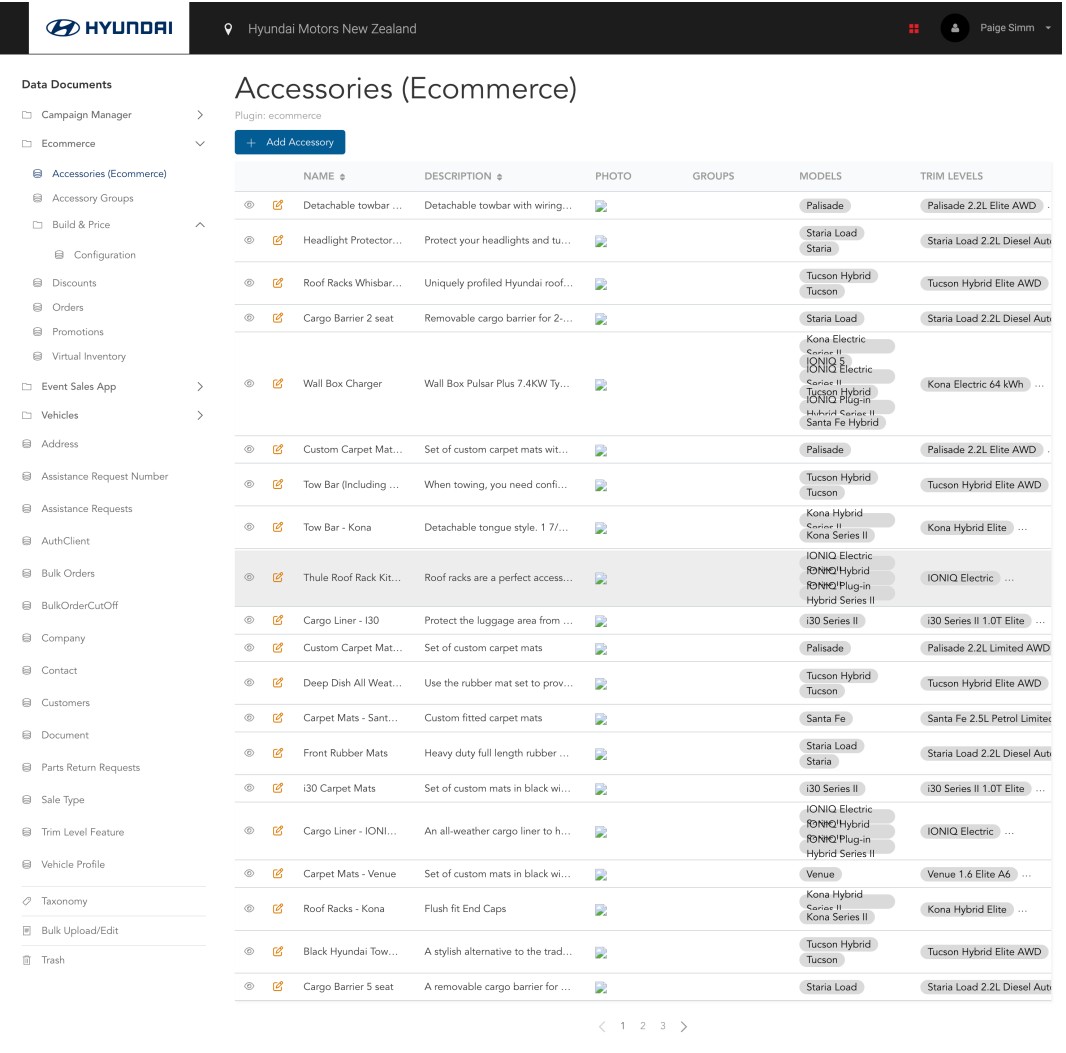
Before — original interface
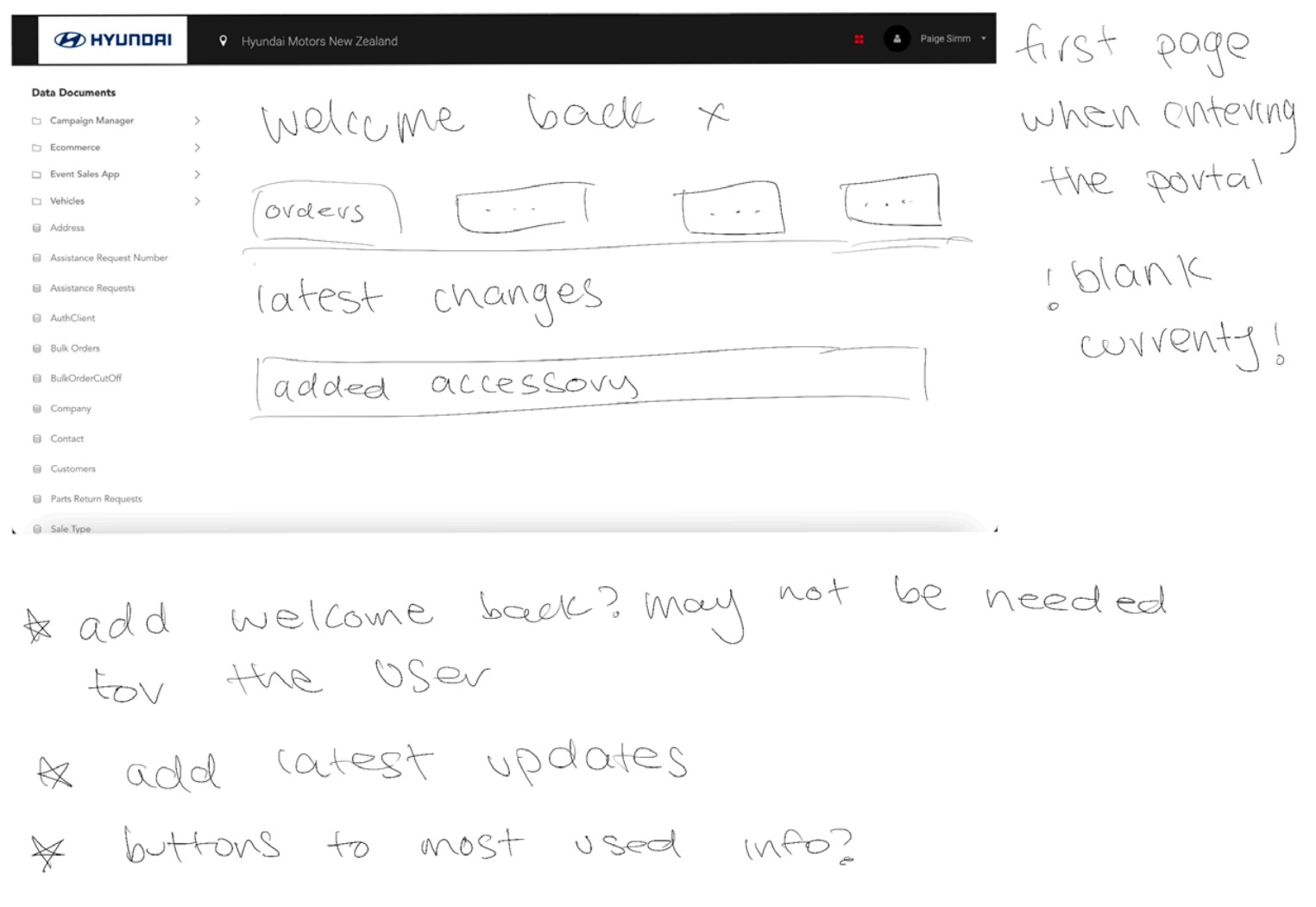
Original Automote interface before redesign

The original Automote interface. Text truncated at edges, no visual hierarchy, actions requiring multiple navigations away and back.

Navigation

Too many steps to reach common actions

Stakeholders reported dealers memorising locations rather than discovering them. Flat hierarchy with unlabelled sections.

Clarity

No visual hierarchy between actions

Primary and secondary CTAs looked identical. Dealers hesitated or clicked wrong buttons, requiring undo steps.

Consistency

Layout broke across different screens

Built for one fixed resolution. Components collapsed or overlapped unpredictably on different displays.

System Feedback

Actions completed silently

No confirmation, no errors, no loading indicators. Stakeholders confirmed dealers couldn't tell if something had worked.

03

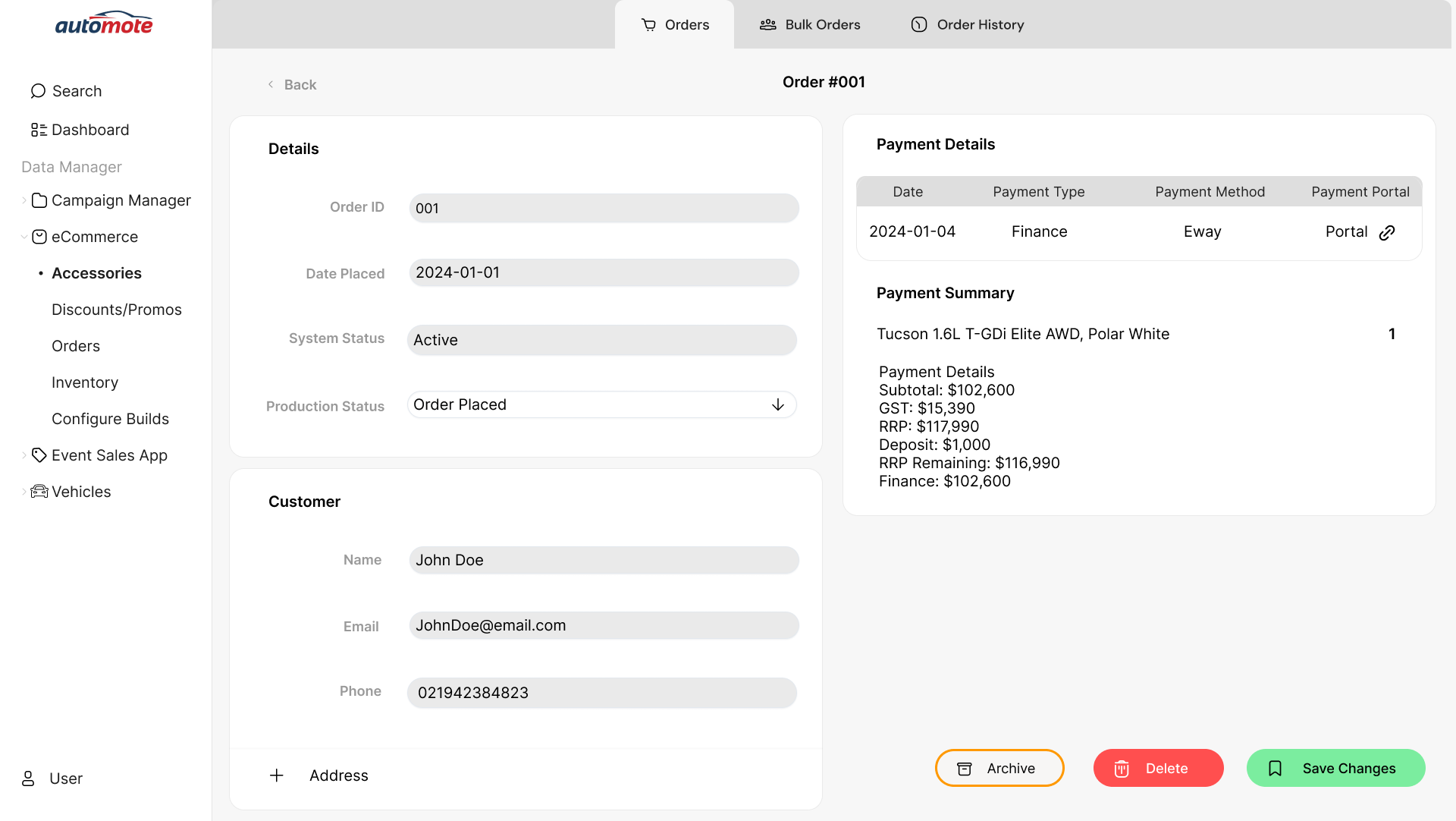
Updating order status.

The most frequent dealer action. Redesigned for inline editing with immediate confirmation.

Before — 5 steps
1Navigate to orders list
2Click into order (leave list)
3Find status field
4Update, save, wait
5Navigate back to list
After — 2 steps
1Filter to find order
2Inline edit with confirmation

Stakeholder walkthroughs confirmed dealers found this significantly faster.

04

Structuring before styling.

Wireframed key screens to validate information architecture before moving to high-fidelity.

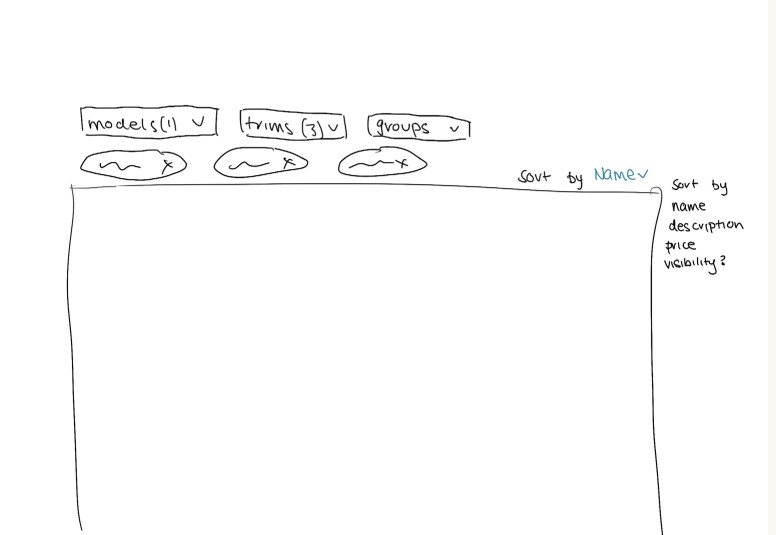
Filter panel wireframing

Filter panel wireframing — testing how to surface filtering without cluttering the primary view

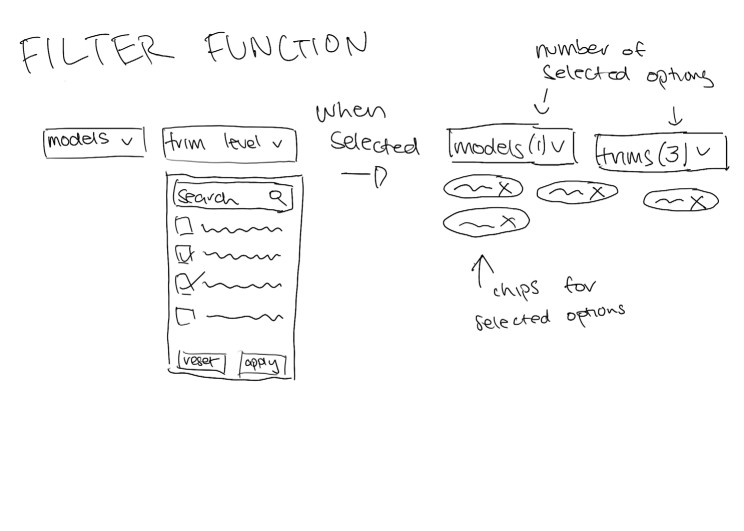
Filter wireframing iteration 2

Second iteration — refining collapse/expand behaviour and filter grouping

05

Order management, rebuilt.

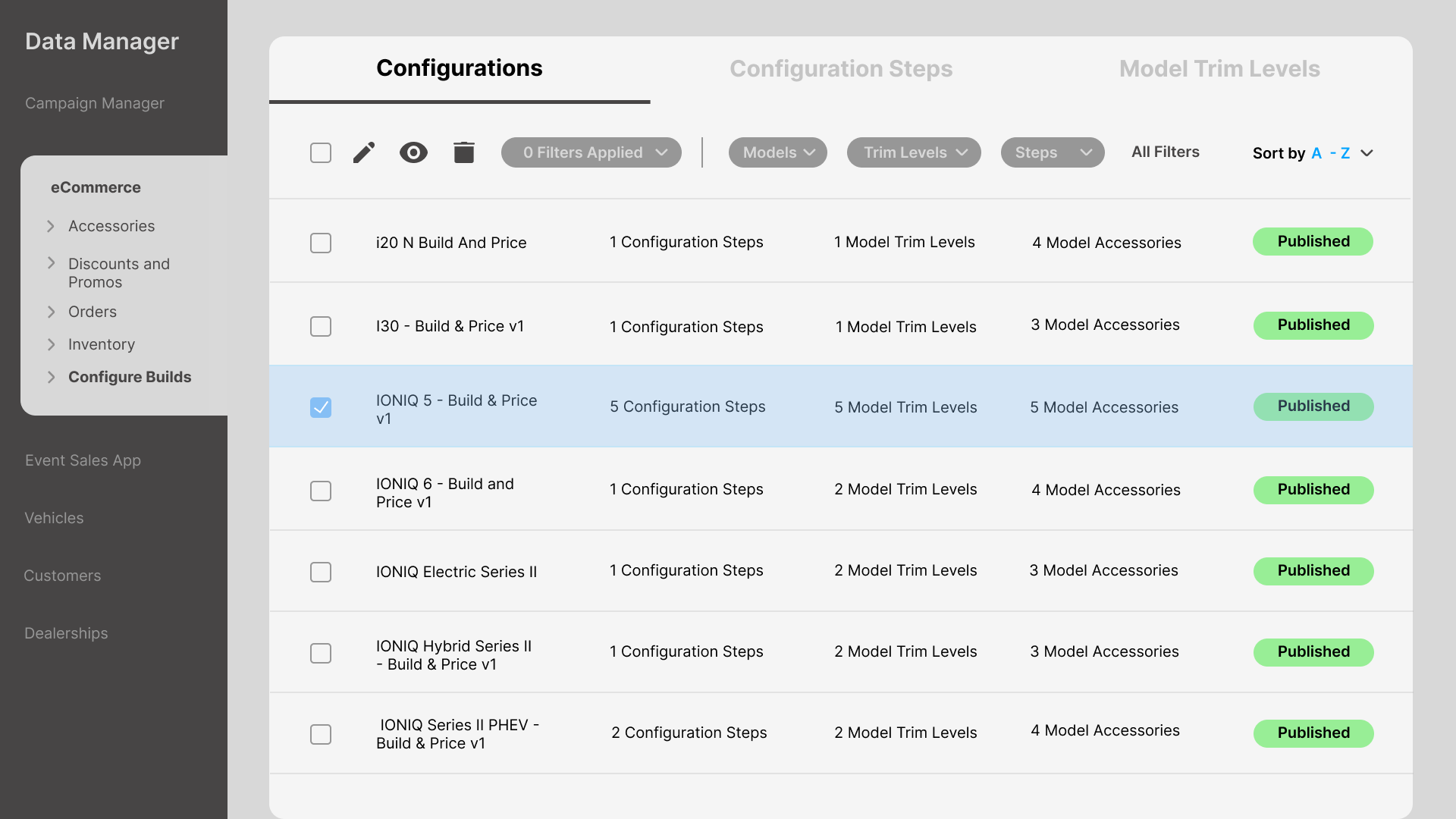
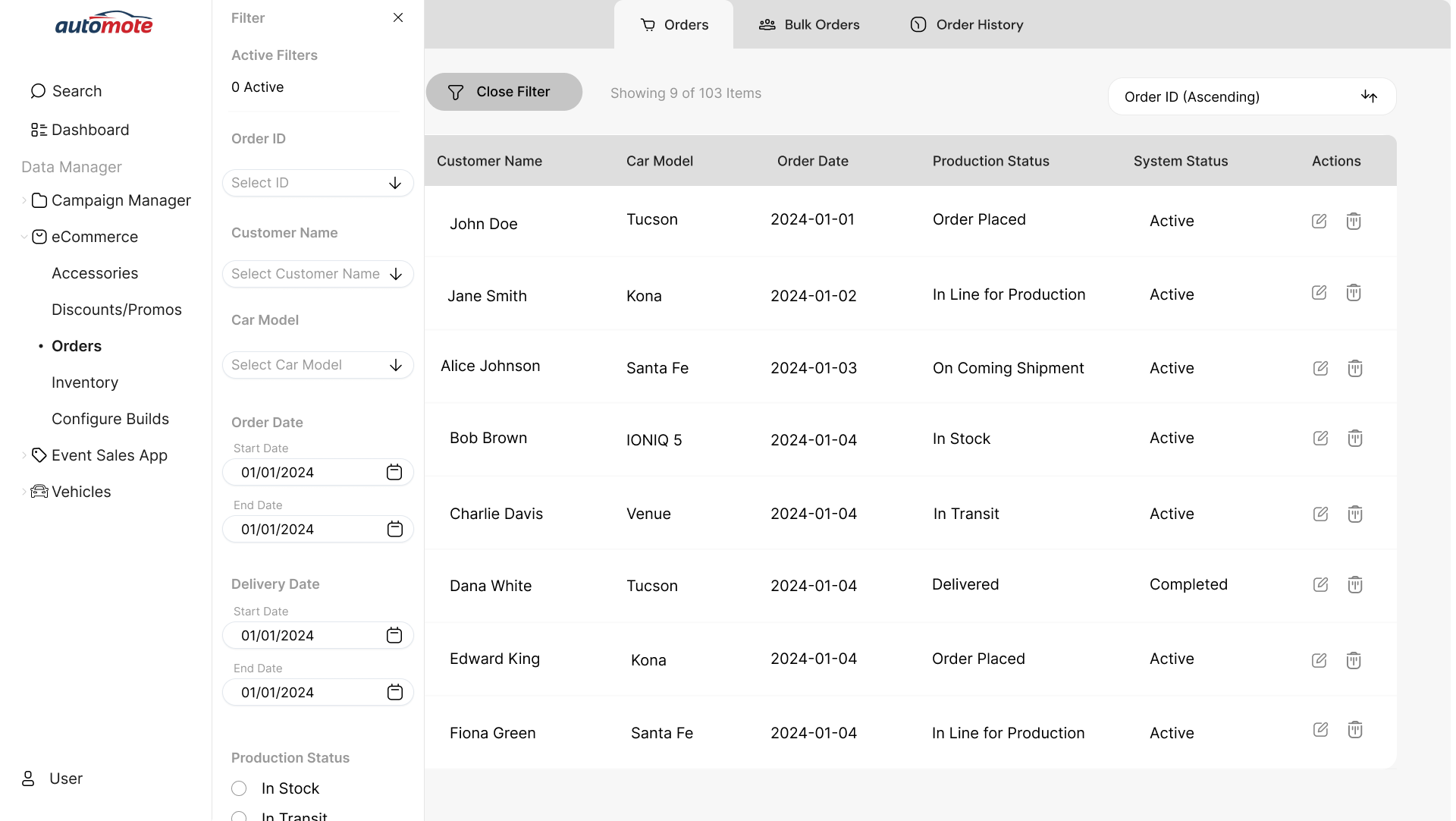
Where dealers spend most of their time. Filterable, scannable, and clear about which orders need action.

Automote orders management screen

Order management — filterable by ID, customer, model, date, and production status. Visual weight distinguishes action-required statuses.

Orders screen alternate state

Orders list with filter panel open — collapsible sidebar keeps primary content visible

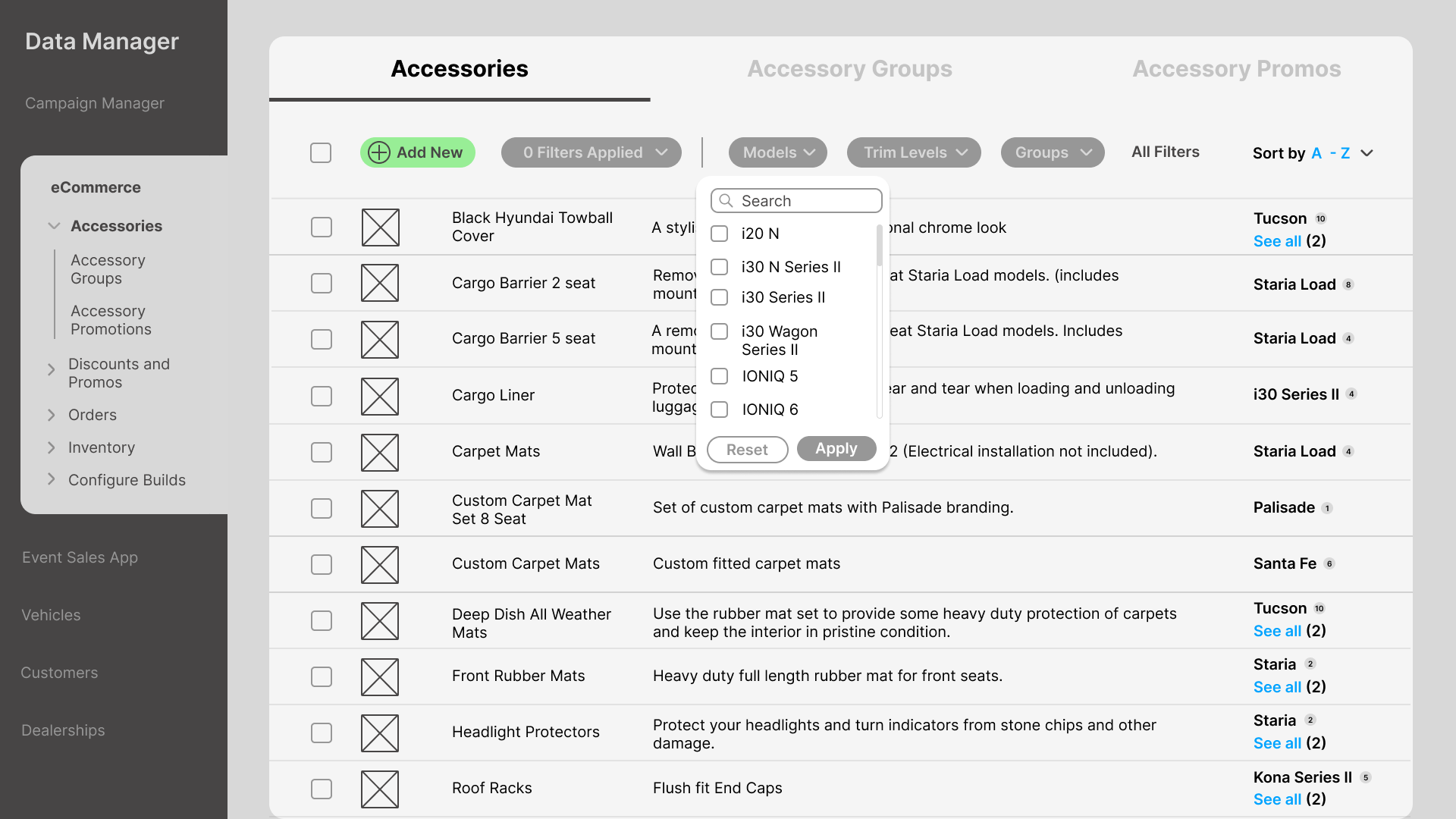
Filter panel active state

Filter panel expanded — grouped by category with clear visual hierarchy

Edit order state

Inline order editing — status can be updated without navigating away

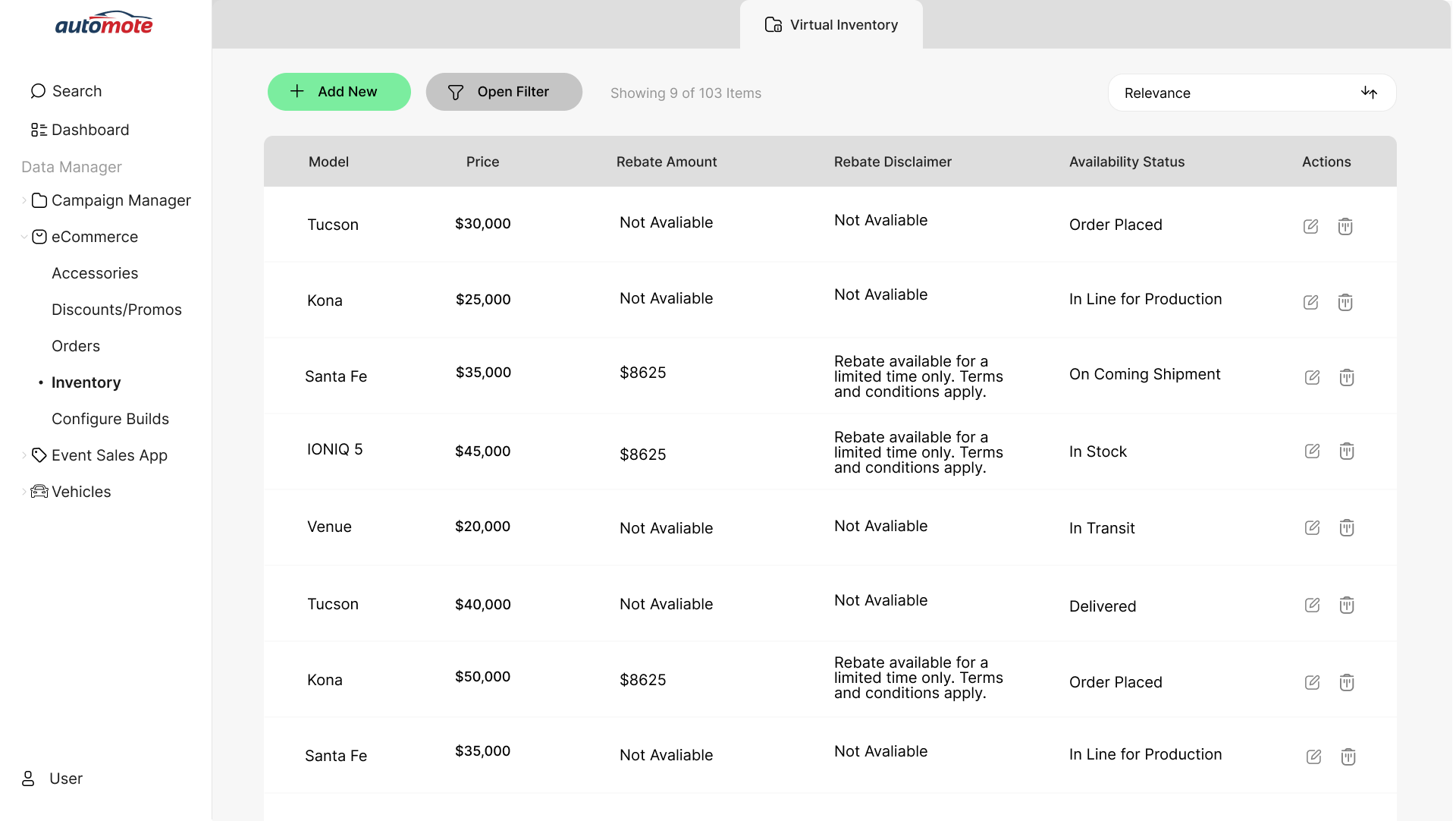
Inventory screen

Inventory overview — consistent row structure and quick-action controls

06

Vehicle configuration without losing context.

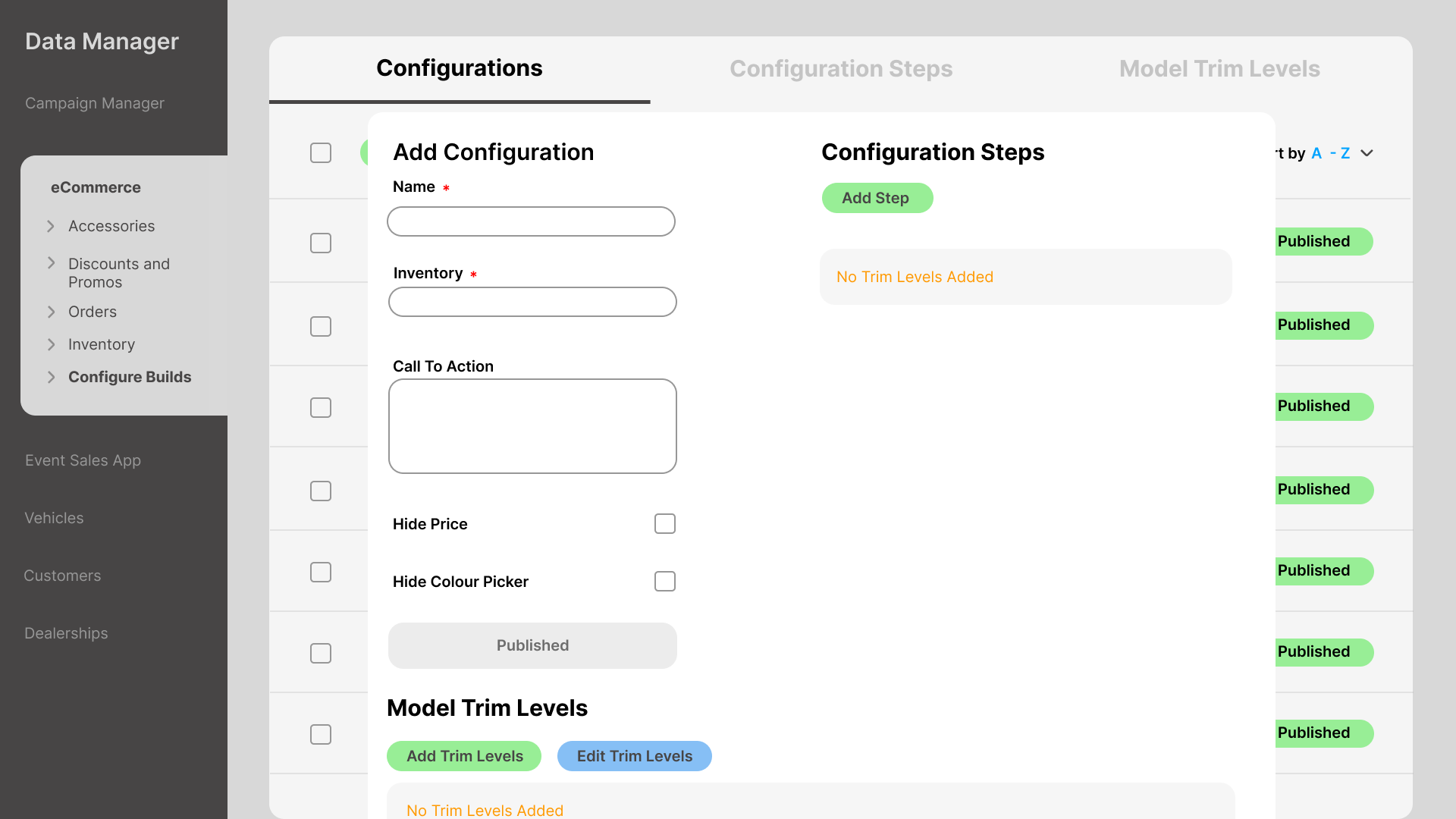
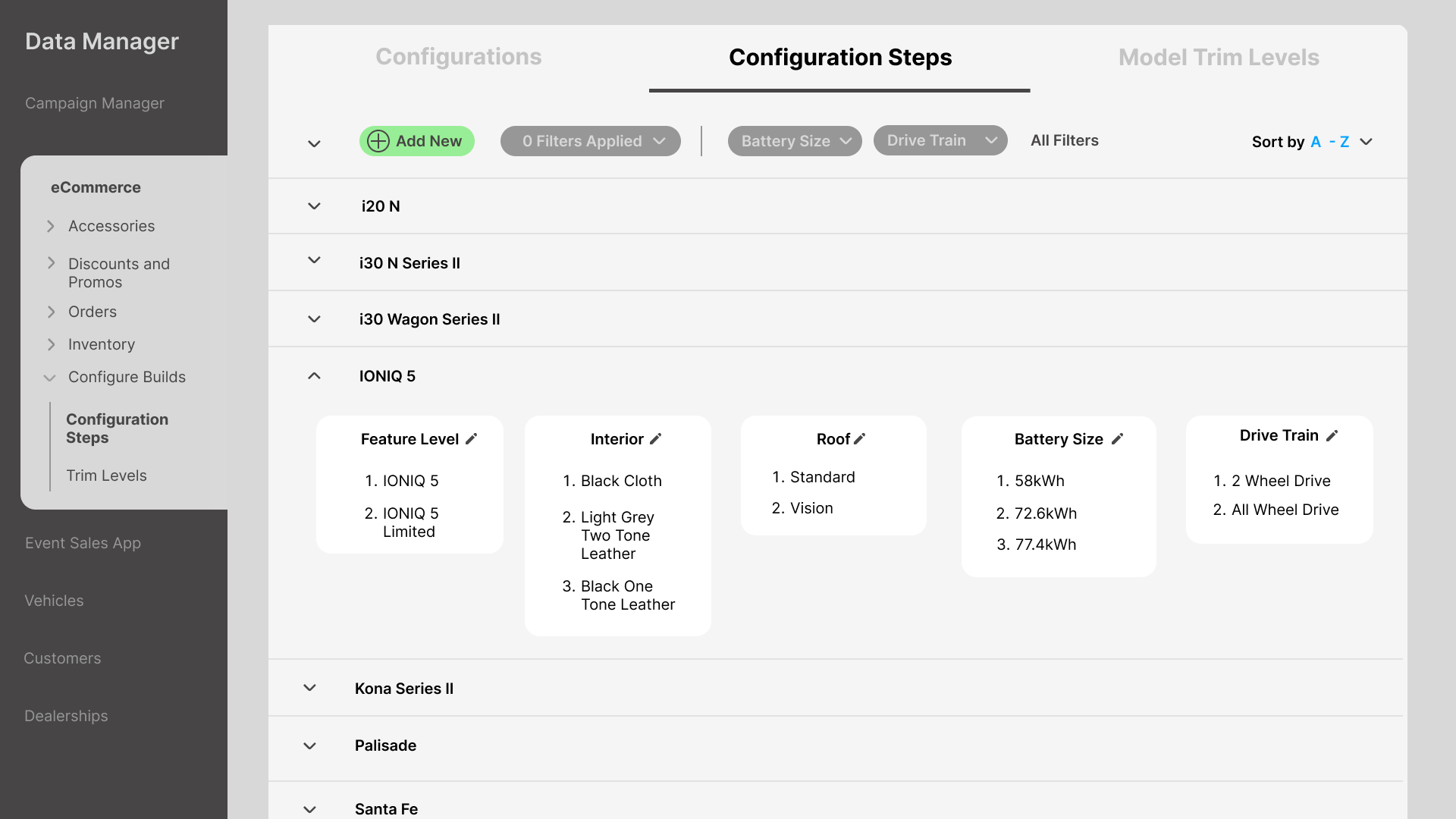
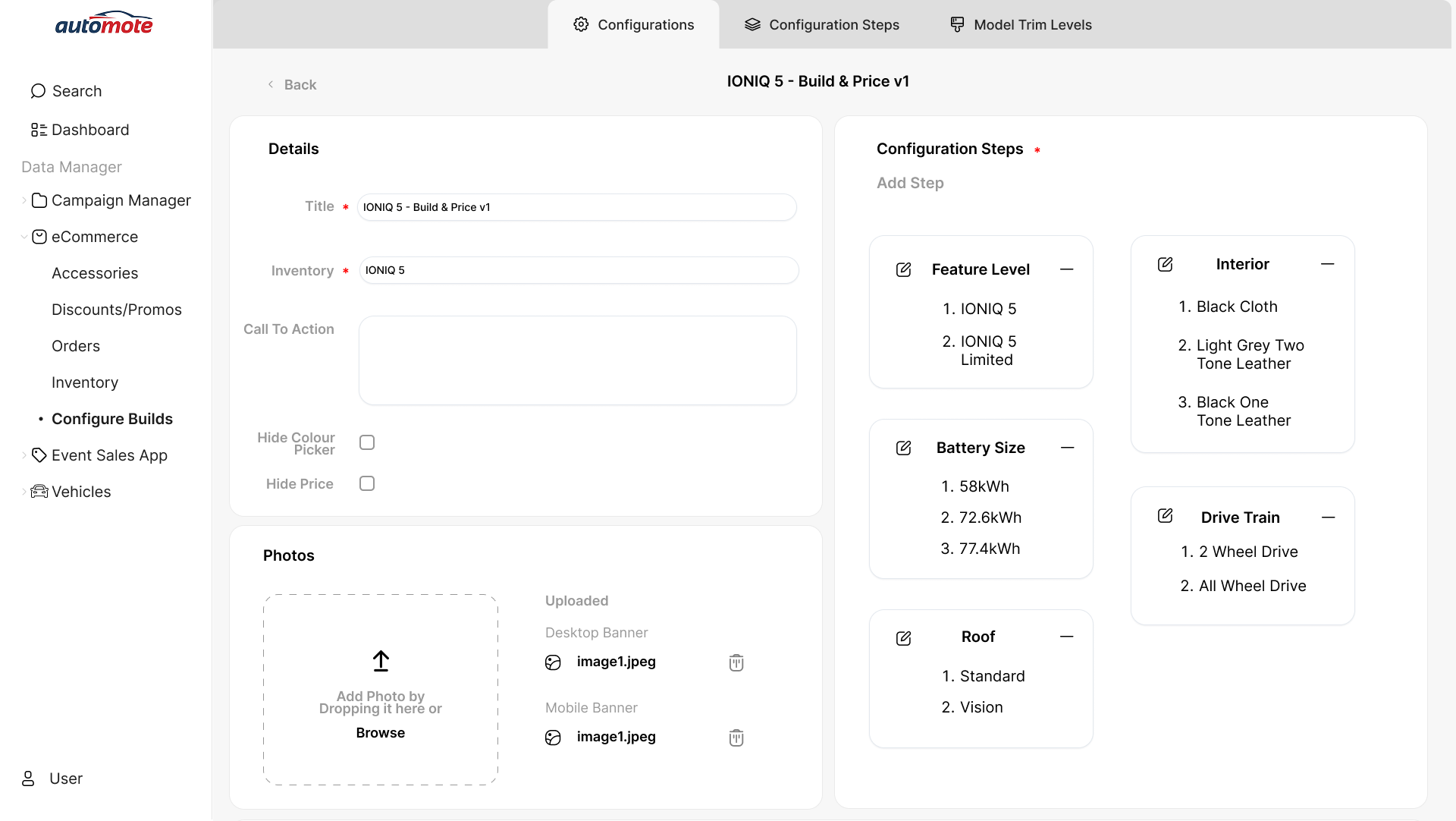
The two-panel layout keeps order details and configuration steps visible simultaneously — no navigating between them.

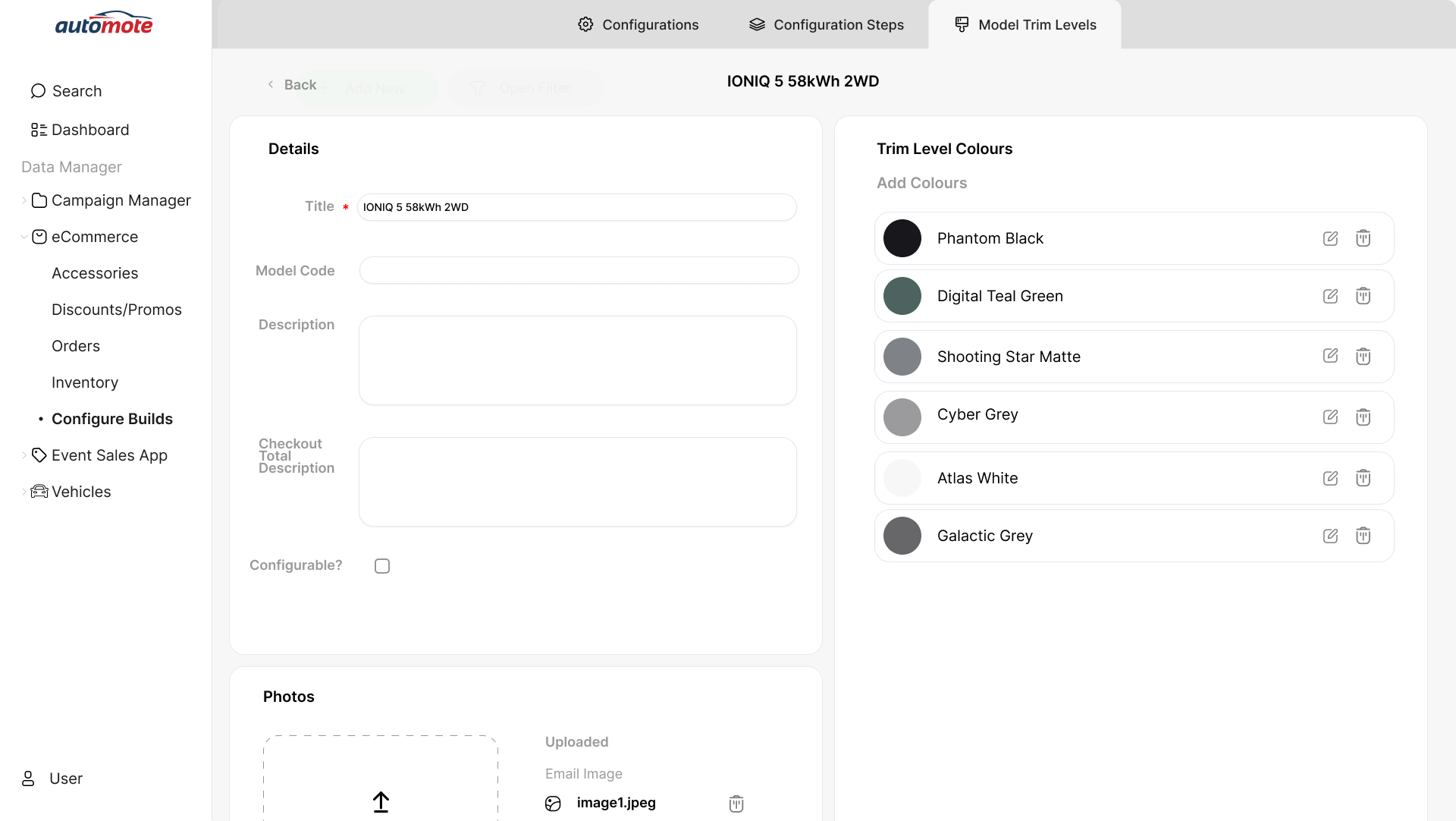
Vehicle configuration — edit trim level

Two-panel vehicle configuration — order details persistent on left, steps on right

Edit trim screen

Trim level selection with visual preview

Adding configuration options

Adding options — clear step progress indicator

Editing configuration

Editing existing config — inline with save/cancel hierarchy

Configuration step flow

Step flow — numbered progress keeps dealers oriented

Initial high fidelity exploration

Initial high-fidelity — testing split-panel before final direction

In stakeholder reviews, dealers confirmed they could find orders faster and update statuses without leaving the screen. Approved as the development basis without further revision.

LuminateOne stakeholder feedback · 2023

07

Tradeoffs worth making.

🗂

Two-panel configuration

Details and steps in persistent split view. Dealers never lose context.

Tradeoff: more complex layout. Worth it — eliminated mid-task navigation.

🔍

Collapsible side filter

Visible when needed, hidden when not. Filters by ID, customer, model, date.

Tradeoff: additional UI element. Worth it — dealers found orders significantly faster.

🚦

Status as text labels

Production status as readable text, not icons alone. No legend required.

Tradeoff: less visual minimalism. Worth it — zero misinterpretation in testing.

Structured sidebar nav

Tools grouped into logical categories with persistent context.

Tradeoff: requires initial learning. Worth it — dealers always knew where they were.

🎯

Primary/secondary hierarchy

Primary actions use filled buttons. Destructive actions subdued.

Tradeoff: less visual uniformity. Worth it — reduced accidental destructive actions.

📐

Unified component system

Spacing, type, buttons, forms applied consistently across every screen.

Tradeoff: initial setup time. Worth it — users relied on patterns without hesitation.

08

What the reviews revealed.

Feedback

Status column not scannable

Dealers scanning a long list couldn't quickly identify which orders needed action.

Change

Visual weight for action-required statuses

Subtle colour coding for statuses requiring action. Text labels retained — colour additive.

Feedback

Bulk actions missing

Sales managers needed to update multiple orders at once. v1 required individual updates.

Change

Bulk selection and action bar

Row-level checkboxes and contextual action bar appearing when items selected.

Constraints

  • Internship timeline — six months, focused on highest-frequency workflows
  • No direct access to end users — feedback came through LuminateOne stakeholders
  • Prototype for planning — not involved in implementation, so edge cases needed to be thorough
  • Work within Automote's established colour palette
09

How the work landed.

Pain points confirmed solved

LuminateOne confirmed the redesign addressed navigation and clarity issues. Approved without further revision.

Reduced cognitive load noted

Two-panel configure screen and collapsible filter specifically cited as solving dealer problems.

Development ambiguity reduced

Interactive prototype with annotated specs and documented decisions enabled clearer planning.

10

What I'd do differently.

Not having direct access to end users was the biggest constraint. Even one session watching a dealer use the existing system would have been worth more than hours of assumption. I'd push back harder on this in future.

The most valuable pattern that emerged: in testing, users relied on repeated patterns to navigate without hesitation. The interface should disappear. Consistency reduced cognitive load more than any clever interaction.

If I were to continue this work: bulk actions would be phase two, and I'd explore saved filter views for high-volume dealers.

Next project

Splashy →
Get in touch